.png)
You can add Finance Information to a saved Maintenance Event or Defect. The Finance Record tab on Maintenance Events or Defects allows you to record financial information and associate it with a specific event and asset.
To Add Finance Information
You’re on the Maintenance Grid.
You have selected a maintenance event to edit.
You are on the Finance Tab.
📚 Finance Tab Information
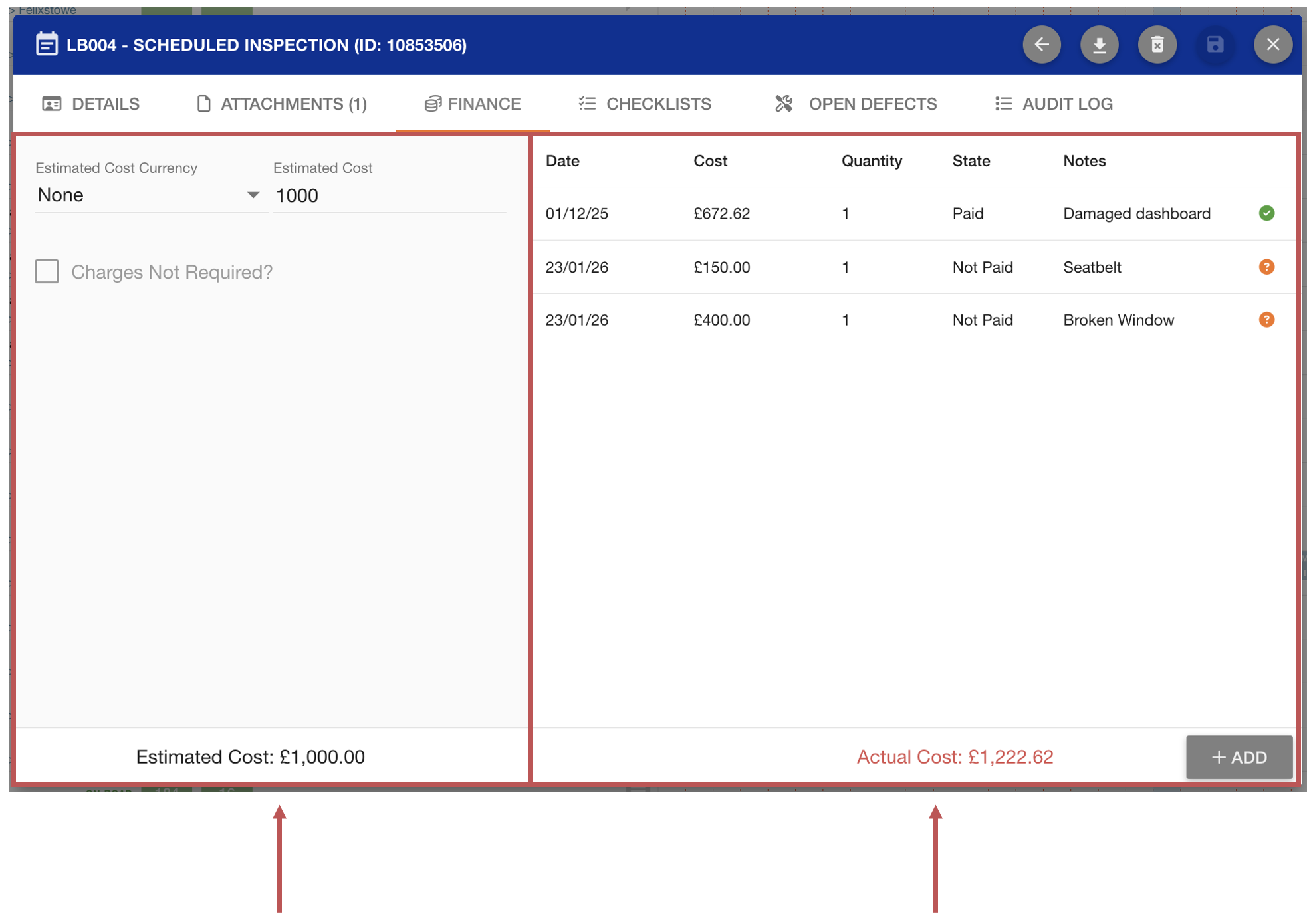
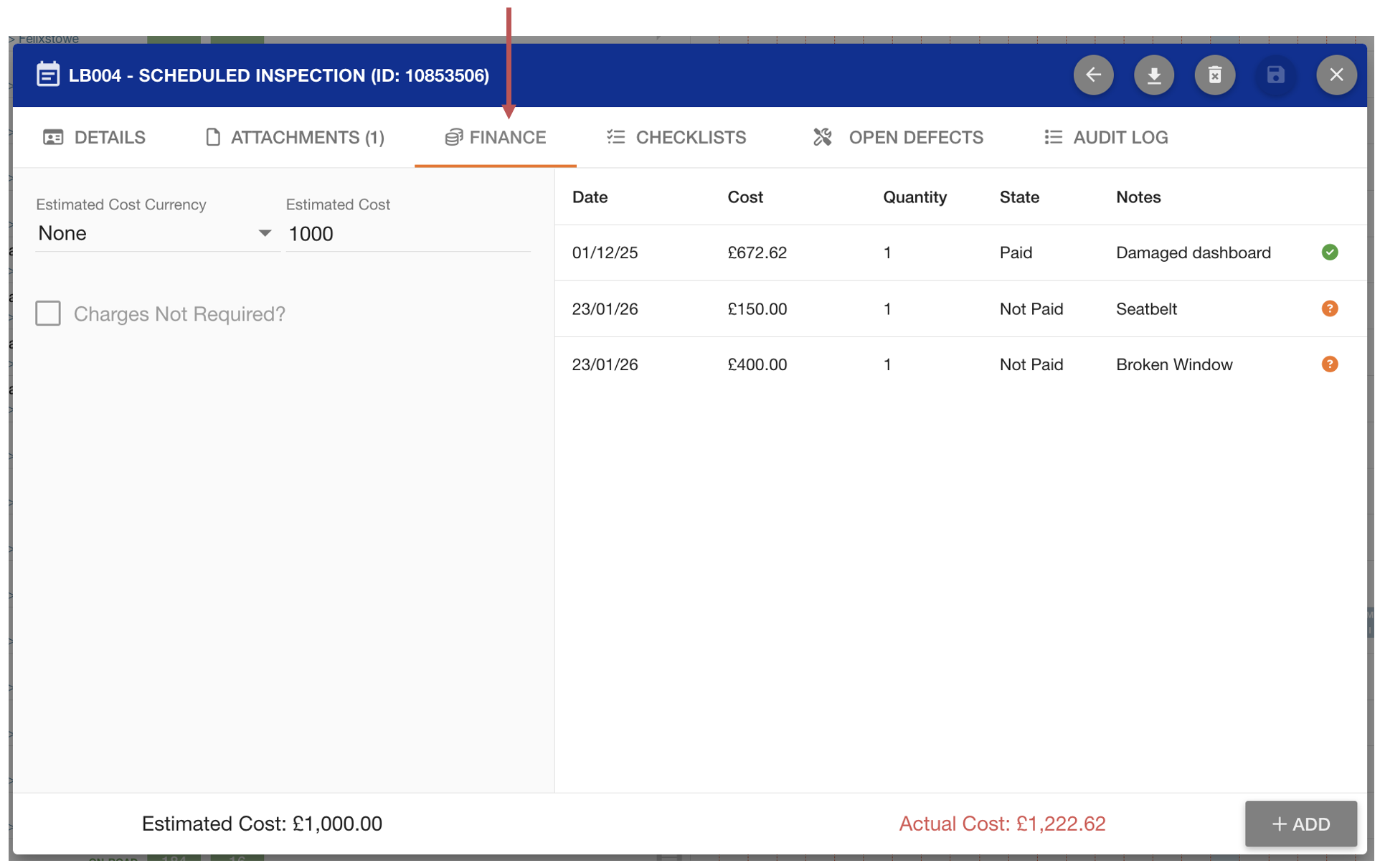
Left-hand panel: Event financial details
The left-hand side displays financial fields stored directly against the maintenance event, such as the Estimated Cost and Estimated Cost Currency.
Charges can also be marked as Not Required, indicating that no finance records are expected for this event. When Charges Not Required is enabled, the Add button is disabled and no finance records can be attached. Likewise, an event cannot be marked as Charges Not Required if finance records are already attached.
Right-hand panel: Finance Records
The right-hand side lists the actual finance records recorded against the event. Each row represents an individual finance record, showing details such as the date, cost, quantity, state, and notes.
At the bottom of the table, the Actual Cost is displayed as a total, allowing for easy comparison against the Estimated Cost shown on the left.