.png)
If you suspect your Axscend Portal account has been compromised, or you have received a New Login Email, but have not logged in, please follow the steps to secure your account:
-
Change Your Password
-
If your password has been compromised and you no longer know it, reset your password.
-
-
Logout of All Devices
-
Contact your Fleet Team and/or Axscend Support for any more support needed.
Change Your Password
Alternatively - Reset Password
Logout of All Devices
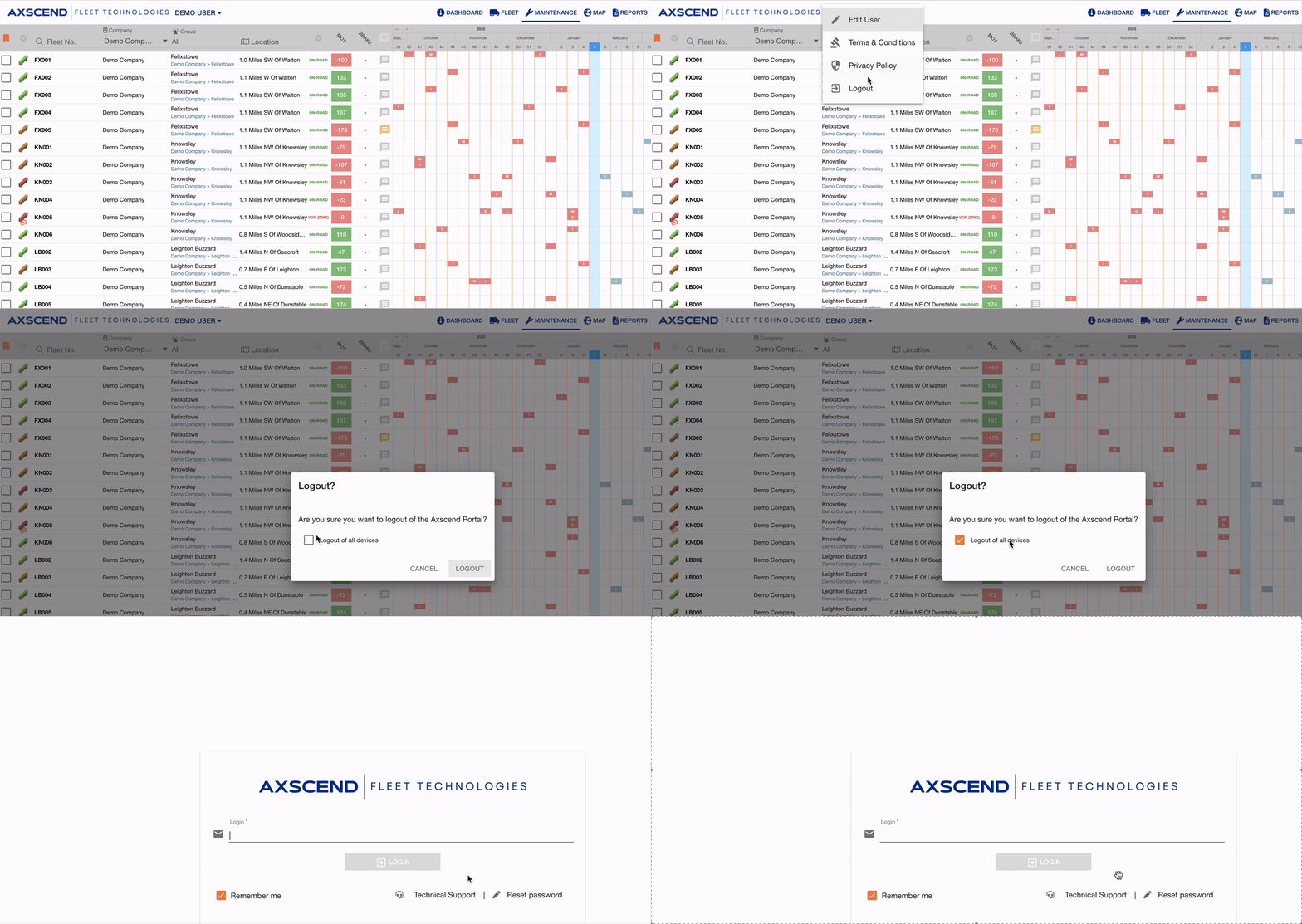
To log out of all devices:
-
Click your Username in the navbar
-
Click Logout
-
Check Logout of all devices?
-
Click Logout to confirm
You have been logged out of all sessions.
Contact your Fleet Team and/or Axscend Support
Informing the relevant personnel about any potential security breach is crucial for securing your account and reversing any unauthorised or malicious changes.
It’s also important to notify your Fleet Team, as the breach may have originated from higher up in the chain, such as a compromised Outlook account.