.png)
Reports on your fleet data are a useful tool for recording and displaying the current status of your assets.
The Reports page allows you to configure and schedule generic reports. When scheduled, your reports are sent to you (and any additional selected users or external recipients) via email.
🧭 Getting to Reports
-
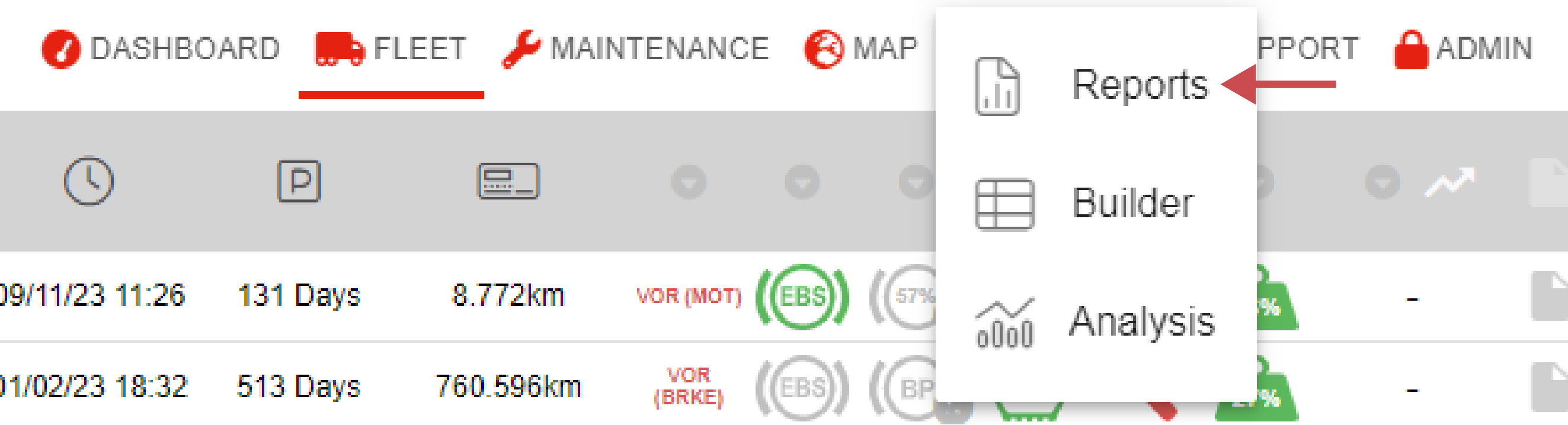
Click Reports in the navigation bar.
-
Click Reports in the drop-down.
The Reports page will open.
📚 Reports Information
The Generic Report page allows you to produce standardised reports of fixed columns.
You can immediately download a copy of the report or schedule the report to run on a specific frequency, ranging from every 30 minutes to every fortnight.
If you currently have reports saved, on the left you will see a list showing all of the reports saved to your user.
If you have no reports saved, you will see an empty page with an ‘Add New Report’ button on the left-hand side.
There are several categories for report types, which help keep the report page organised and easy to navigate. If a user has no reports in a specific category, that category will not be displayed in the side menu.
|
No. |
Description |
|---|---|

|
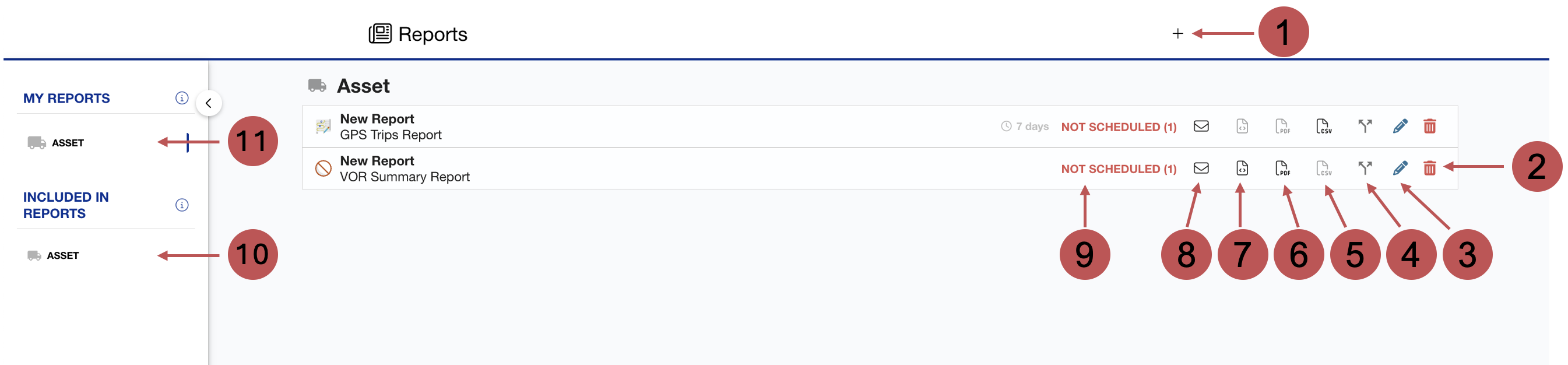
Adding a report You can add a new report here. |

|
Deleting a report You can delete an existing report here. |

|
Editing a report You can edit an existing report here. |

|
Clone Report You can clone your report to another user account. This user will then have access to this report. |

|
Downloading the report as a CSV. You can download the report as a CSV. |

|
Downloading the report as a PDF file You can download the report as a PDF. |

|
Downloading the report as HTML You can download the report as an HTML. Download Types Some reports do not have all of the download options available. |

|
Email Copy This allows you to request an email copy of the report. This is ideal for large reports as it gives the server more time to gather and process the data. |

|
Scheduled/Unscheduled Icon This shows you if a report is scheduled or unscheduled. A scheduled report will be sent out at a set frequency. |

|
Included in Reports This section shows you the reports in which you have been included. These can either be reports you’ve created yourself or by another user. |

|
My Reports This section shows all reports you’ve created yourself. |
🛠️ Report Features
❓ Frequently Asked Questions
"Why have I not received my report?"
A missing report often indicates that the generated file was too large for our server to store as an email attachment.
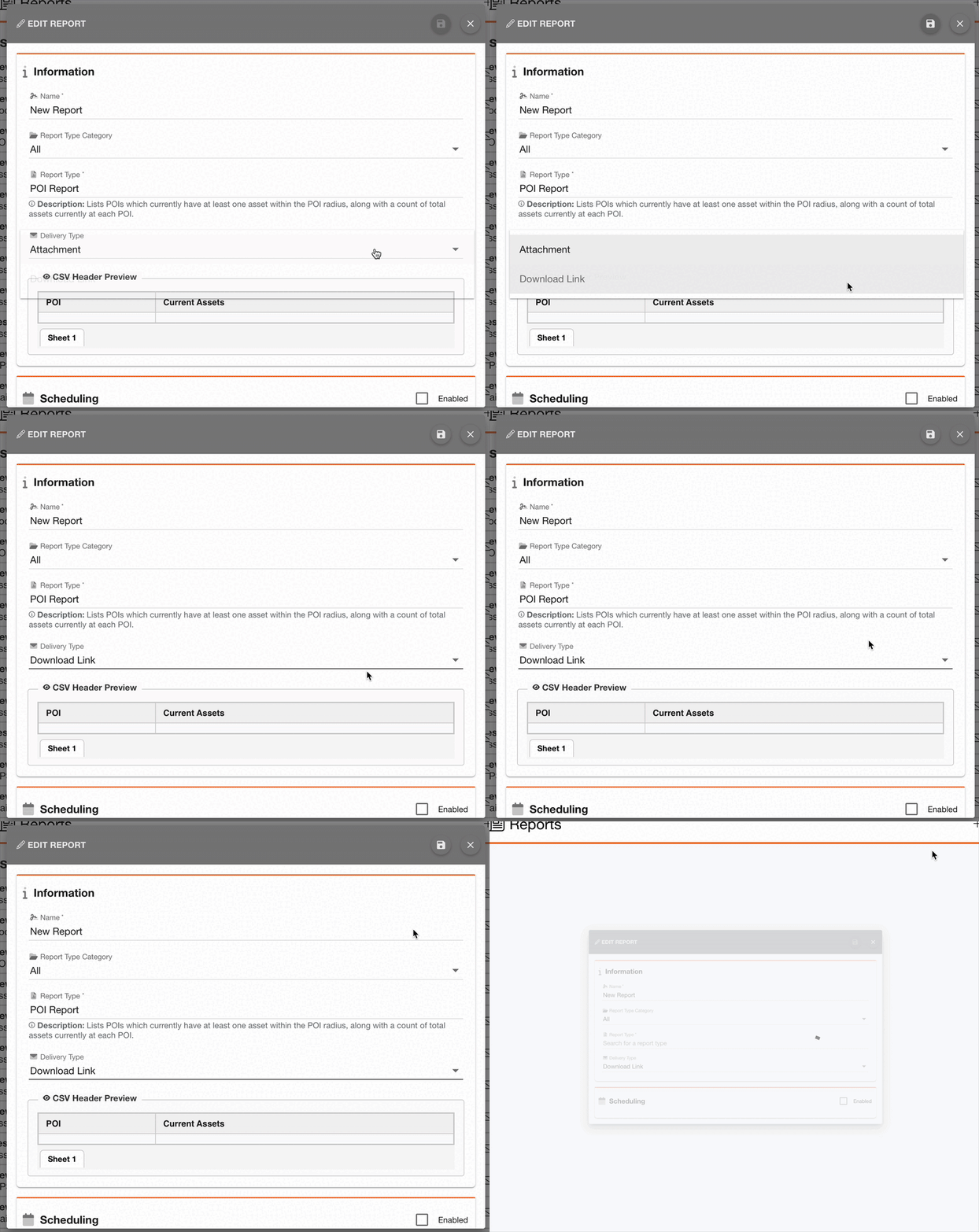
We recommend that large reports use an Email Download Link instead of attachments. You can change the Delivery Type of your report on Manage Reports by:
-
Click the Edit icon alongside your report.
-
Change the Delivery Type field to Download Link
-
Click Save