.png)
Go to the Reports page to see how to get here.
You’re on the Report page.
The report has already been created.
-
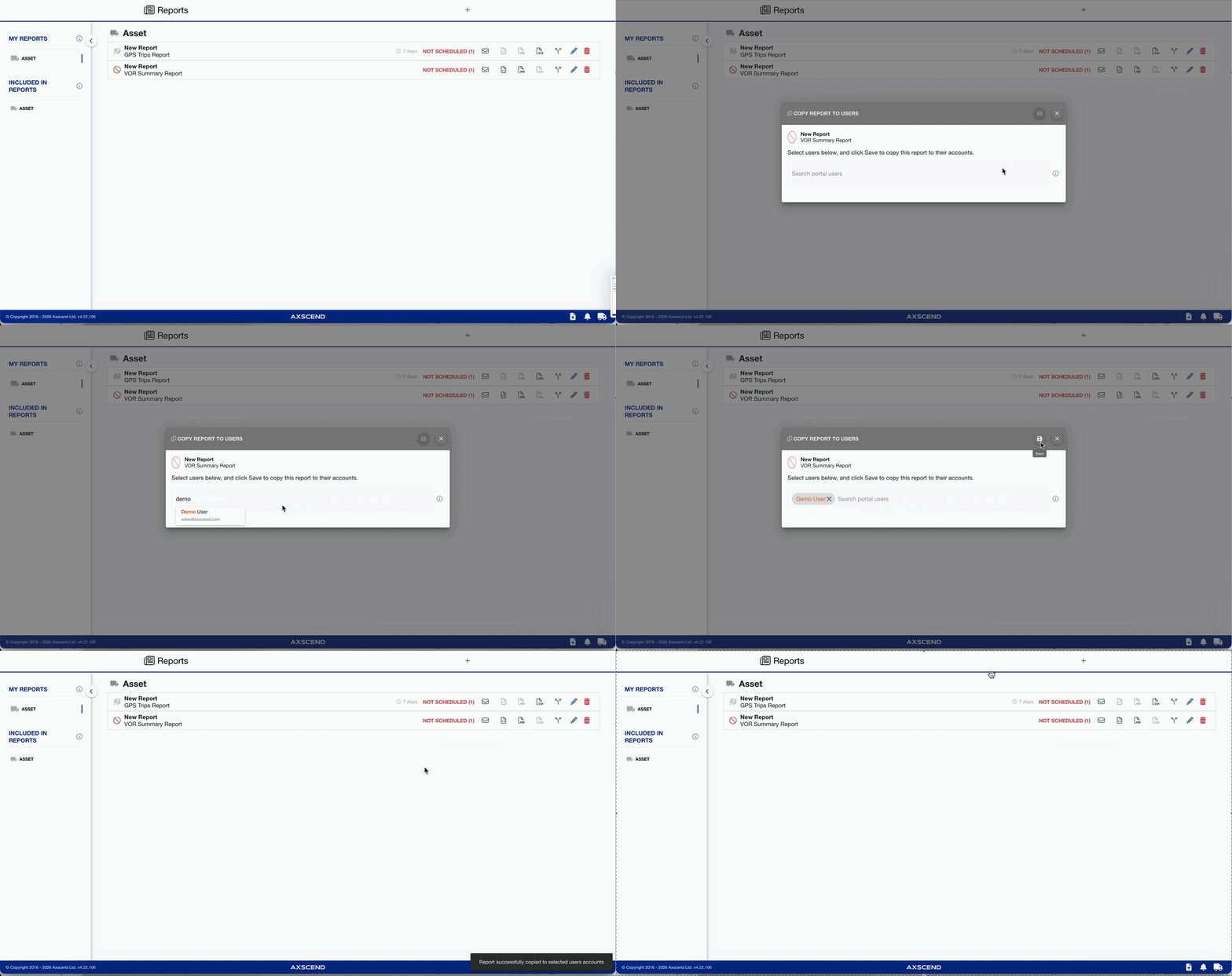
Find the report you want to clone in the list.
-
Click the Clone icon
-
The Copy Report to Users dialog will open
-
-
Search and select the relevant user
-
Click the Save icon to confirm the clone
The report has been cloned to the selected User.