.png)
📚 API Token Information
API tokens allow you to authenticate with the Axscend API to access your fleet data programmatically. You can use API tokens to integrate Axscend with third-party systems, build custom reporting, or automate workflows.
Each token is unique to your account and should be treated like a password.
For more information on what's available via the API, see the Axscend API documentation.
Generating an API Token
You’re logged into your Axscend Portal account.
-
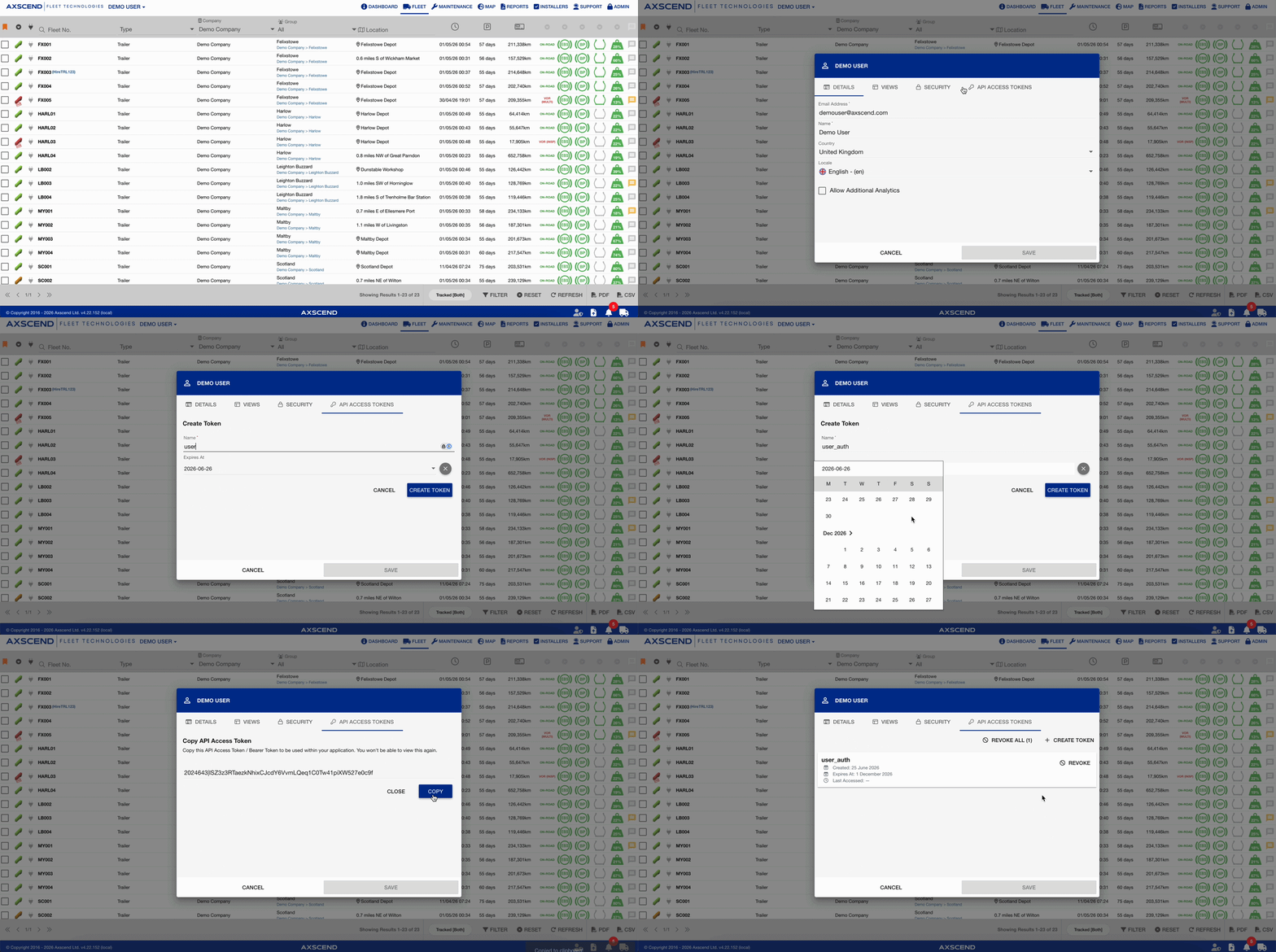
Click your Username in the top navigation bar.
-
In the Dialog box:
-
Click the API Access Tokens tab
-
Click Create Token.
-
Enter a descriptive Token Name. This helps you identify the token's purpose later (e.g. "Power BI Integration" or "Warehouse System").
-
Select an expiry date for your token to automatically revoke.
-
Click Create.
-
-
Your new token will be displayed.
-
Copy the token.
For security reasons, the full token value is only shown once and cannot be retrieved after this step. A new token will need to be created if this token is lost or not copied. -
Click Close
Only store the token securely (e.g. in a password manager or secrets vault).
Revoking an API Token
If a token is no longer needed, or you suspect it has been compromised, you should revoke it immediately.
You’re logged into your Axscend Portal account.
-
Click your Username in the top navigation bar.
-
In the Dialog box:
-
Click the API Access Tokens tab
-
Click Revoke
-
You can also click Revoke All to revoke all listed tokens.
-
-
When prompted to confirm the action, click Delete
-
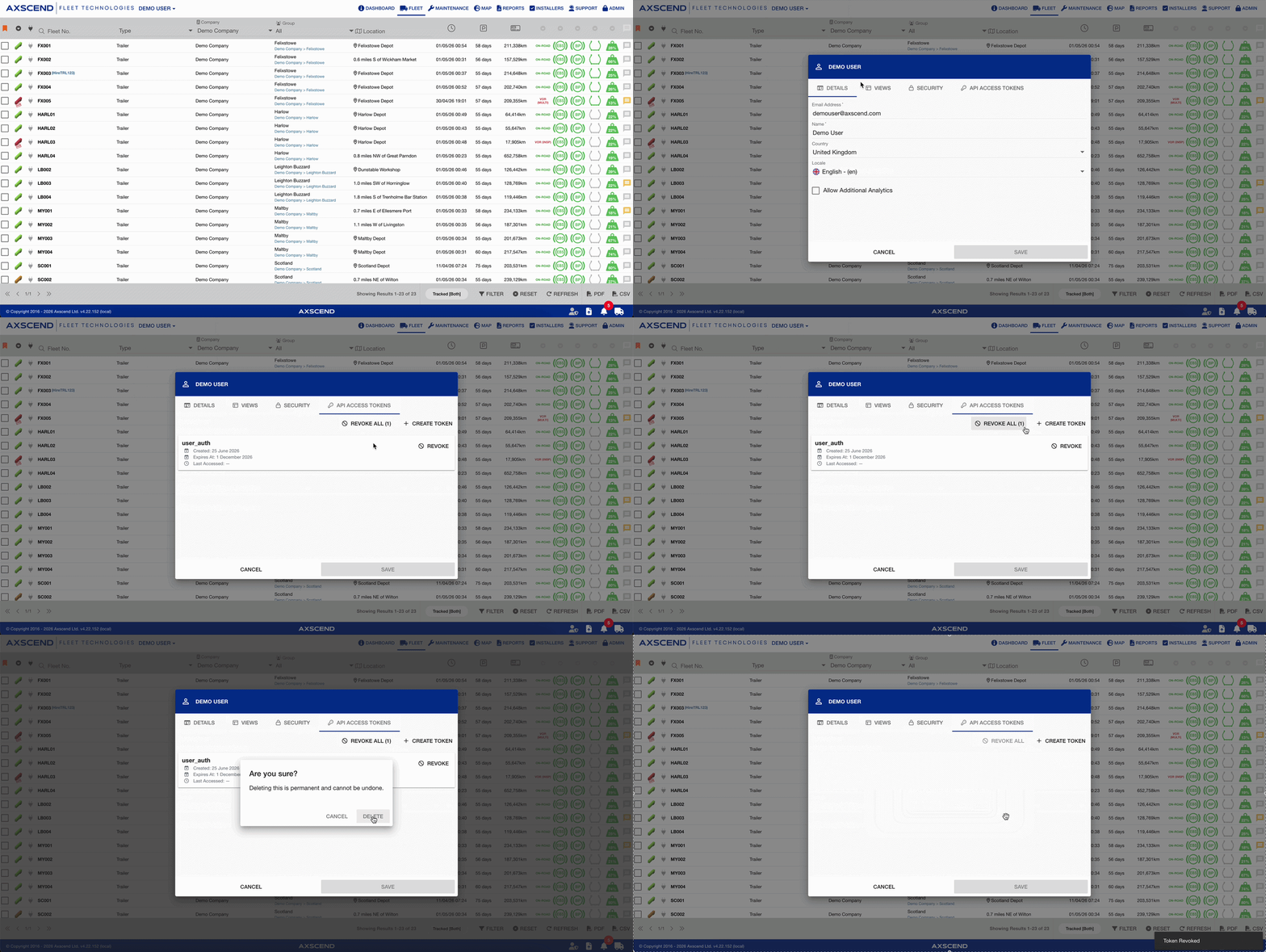
The token will be invalidated immediately. Any system or integration using that token will lose access to the API until a new token is provided.
Best Practices
-
Using one token per integration makes it easy to revoke access for a single system without affecting others.
-
Rotate tokens regularly. Generate a new token and revoke the old one periodically as part of your security hygiene.
-
Never share tokens and avoid committing tokens to source code repositories or sharing them over email or chat.
-
Label tokens clearly by using descriptive names so you always know which system a token belongs to.
-
Choose sensible expiry dates.