.png)
You're on the Asset View page.
You’re on the Tyre Pressure Monitoring (TPMS) – Asset View Section.
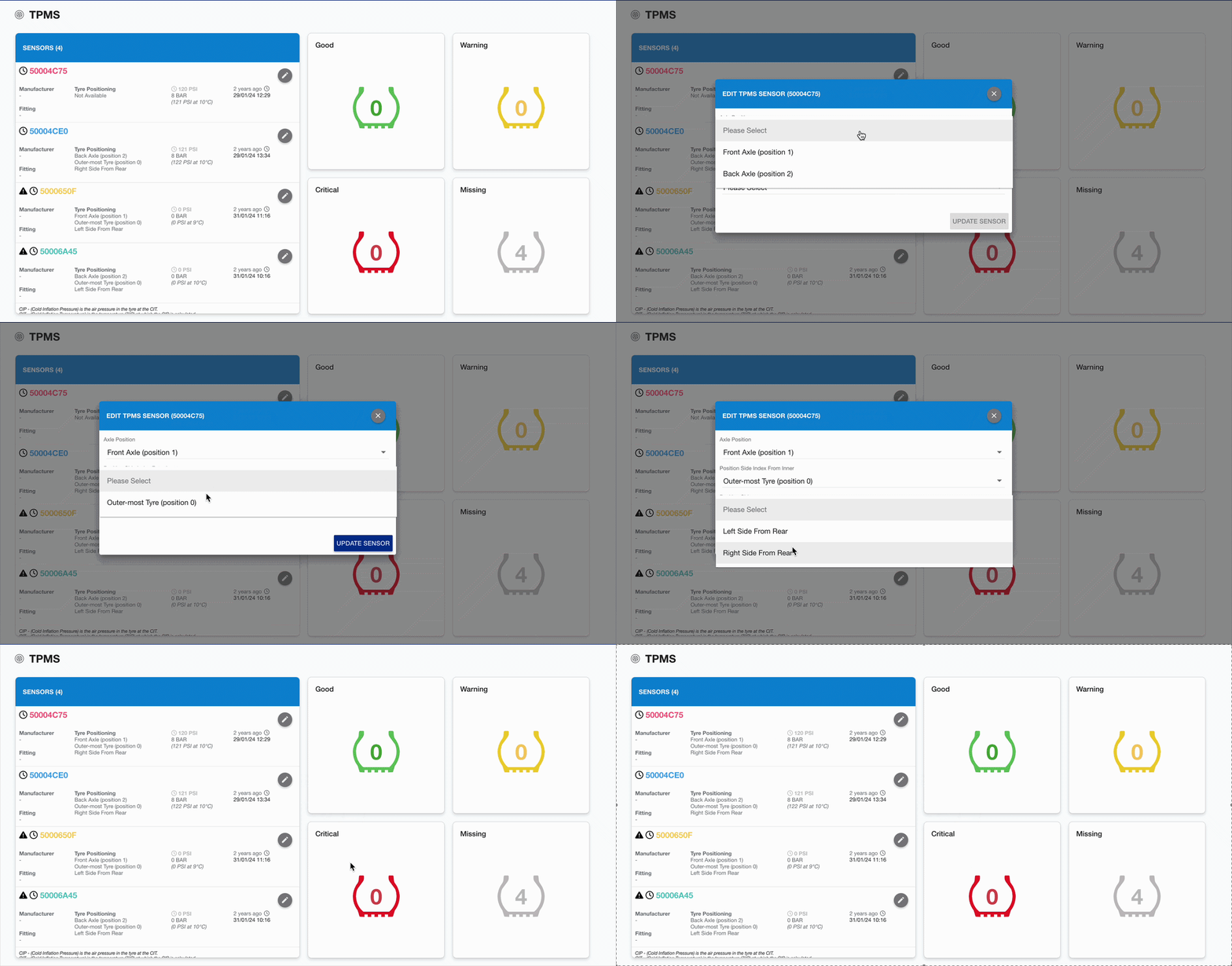
To add Tyre Sensor positions on the portal:
-
Click the Edit pencil icon alongside the relevant sensor
-
The Edit Sensor dialog will open
-
-
Select the Axle Position, Position Side Index from Inner, and Position Side.
-
Click Update Sensor to confirm