.png)
Go to the Rental Customers page to see how to get here.
Customers are the companies you can rent assets to within the Axscend Portal using the Rental Dashboard.
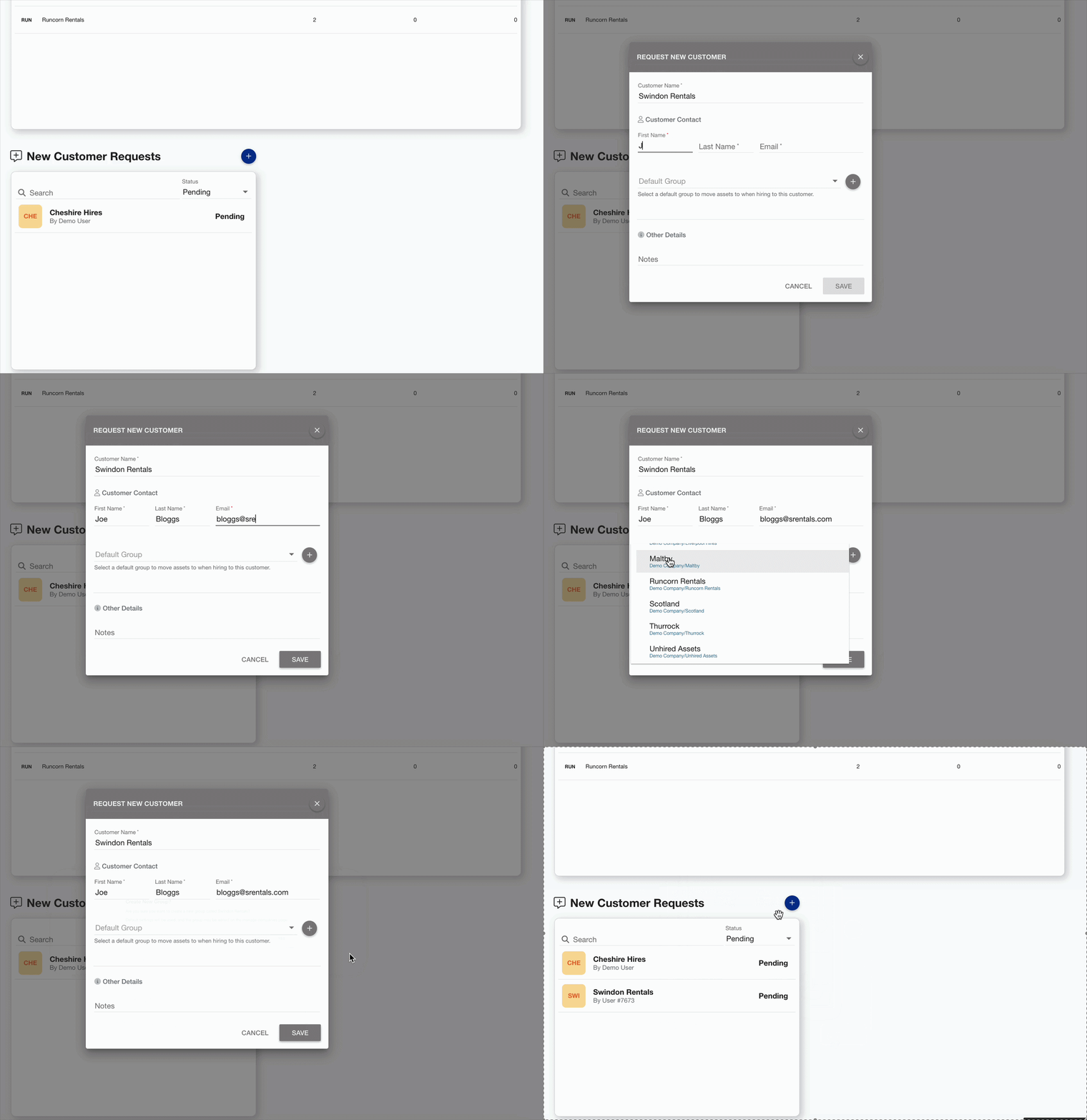
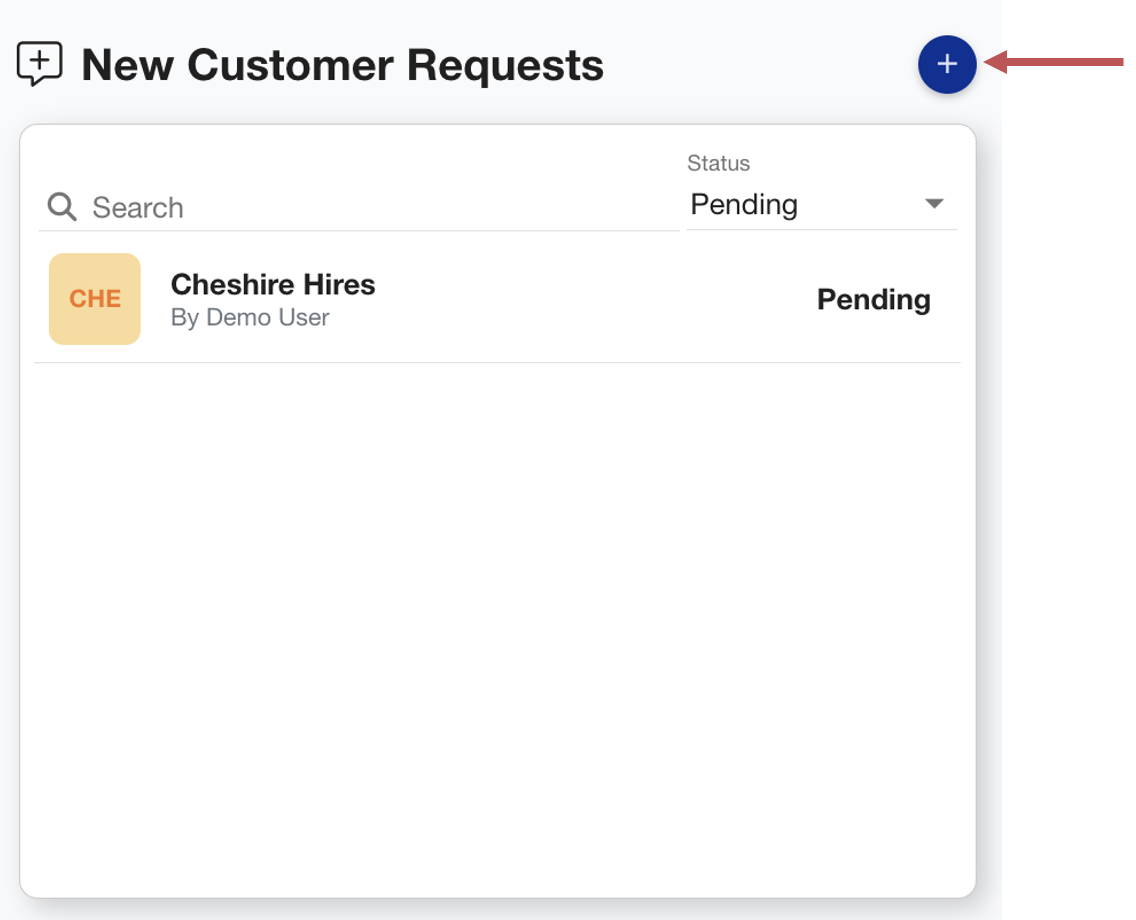
In the Customer Requests section, you can create and manage requests to link new customers to your company. Once approved and linked, customers can be selected when creating rentals and will gain access to assets during active hire periods.
If a customer is not already set up on the Axscend portal, the contact user inputted on the request will receive a welcome email to set up access for their company.
Create a customer request
To create a new customer request for view:
-
Click the + Add icon
-
The Request New Customer dialog will open
-
-
Here you should fill in the details of your customer request, including:
-
The customer’s name
-
Customer contact details - these customer details will be used if the Customer doesn’t already exist on the Axscend Portal.
-
Default group -
-
This is the default group that rented assets will move to within your company when you hire assets to this customer.
You can either:
-
Choose an existing group from the dropdown
-
Use the + Add button to instantly create a group within your company using the customer's name
(e.g. the new customer called Swindon Hires will create the group within your company called Swindon Hires.)
d. Add any relevant notes
-
Click Save
The customer request has been created. A member of Axscend will now review this. Once approved, you will recieve an email and can now rent assets to this customer.