.png)
Go to the Rental Actions page to see how to get here.
You’re on the Rental Actions page.
You’re on the Upcoming Rentals section.
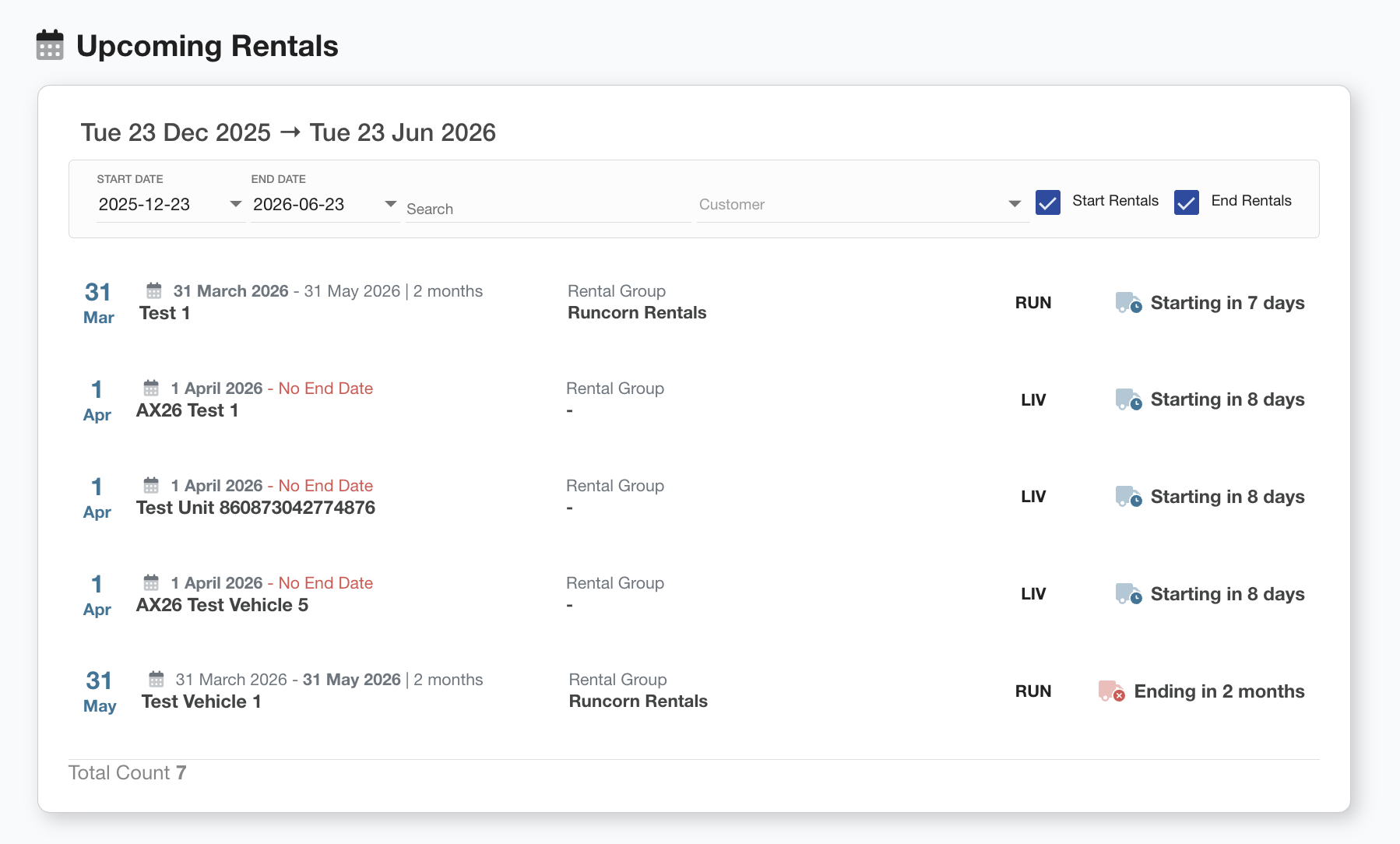
The Upcoming Rentals page provides a forward-looking view of all scheduled rental activity within a selected date range. This includes both rental start and rental end events. Key features of this page include:
-
Date Range Filter: Allows users to specify a start and end date to view relevant rentals.
-
Search & Filter Tools: Users can search by customer name and toggle between showing start and/or end rental dates.
-
Rental Listings: Each entry includes:
-
The rental period (start and end date)
-
Asset name
-
Duration
-
Associated customer or rental group
-
A summary of when the rental will start or end (e.g., “Starting in 7 days,” “Ending in 9 days”)
-
This page helps users stay on top of upcoming rental activity and plan accordingly.