.png)
The EBPMS Interval Report allows you to review brake performance data for an asset over a specific period of time. Users can generate the report directly from a maintenance event record (excluding defects) without leaving the event.
For more information on EBPMS interval reports, see Generating an EBPMS Interval Report
Generating an Interval Report
You’re on the Maintenance Grid.
The Maintenance Event has already been created.
-
Open the relevant Maintenance Event
-
Click Download EBPMS Interval Report
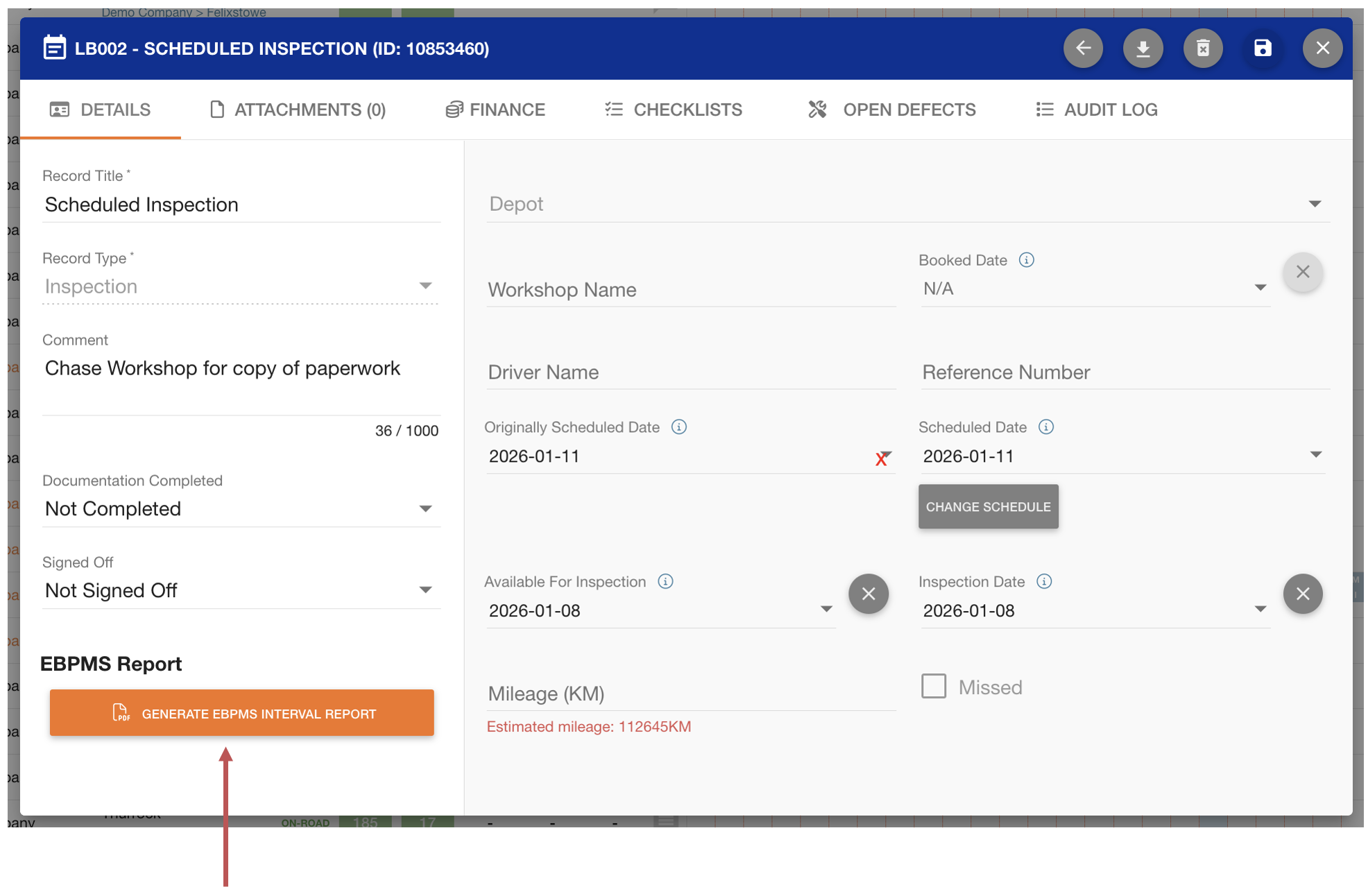
-
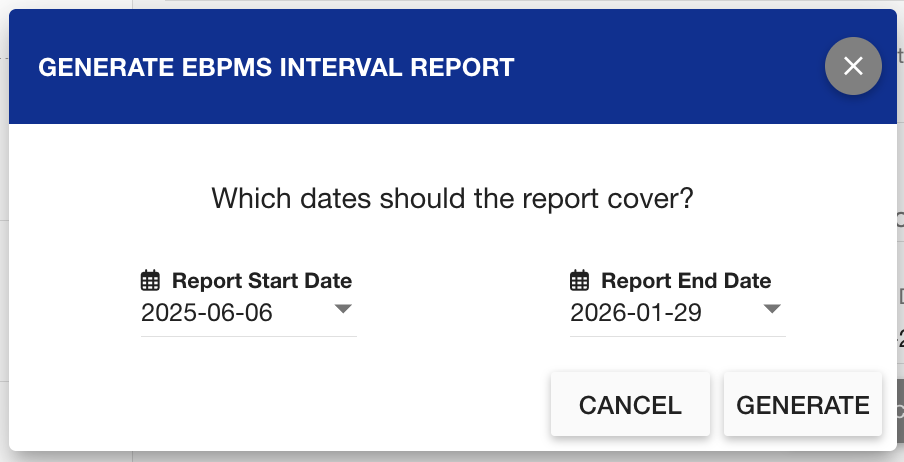
Select the relevant date range
-
Click Generate
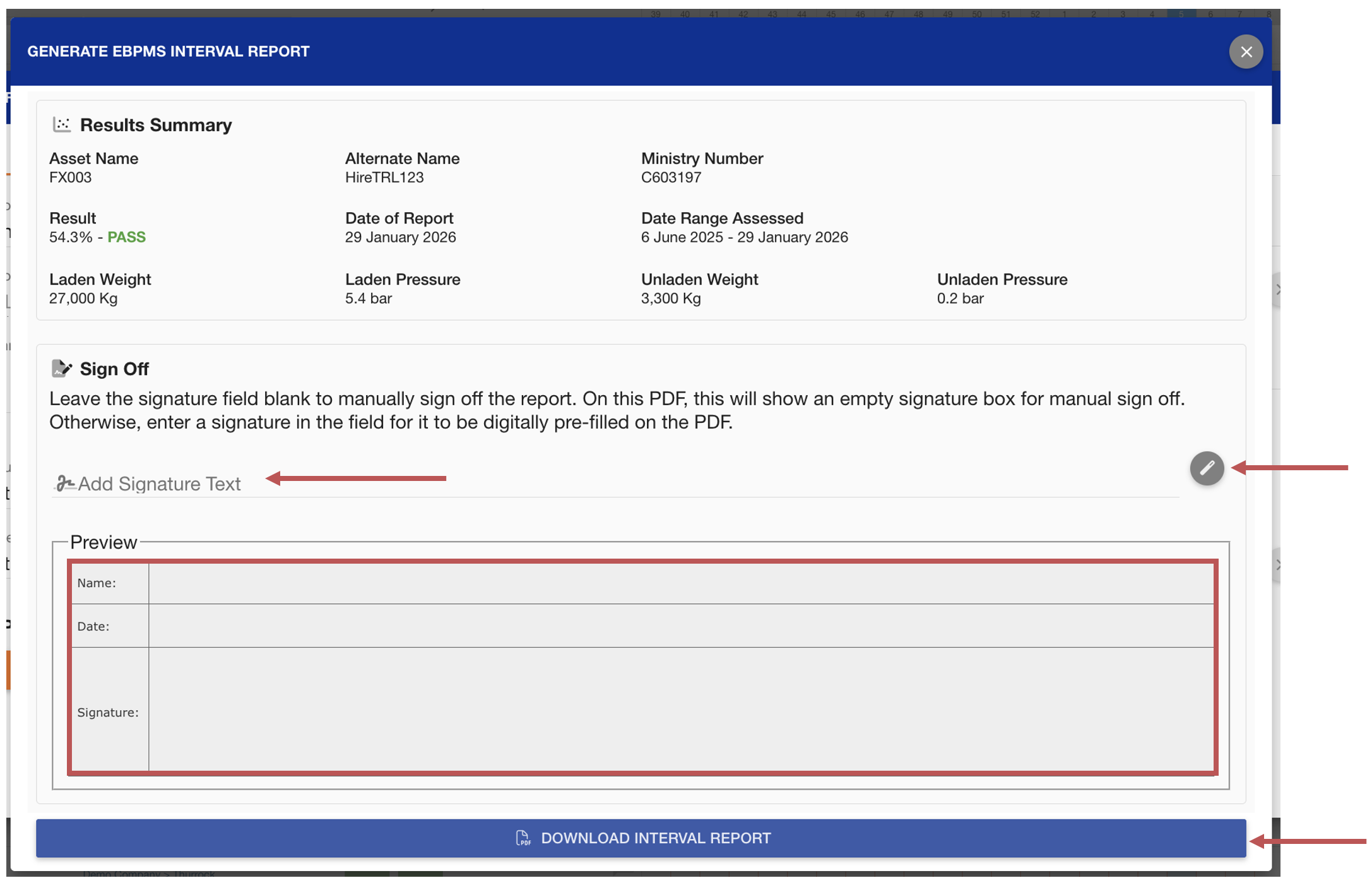
The EBPMS report summary dialog will show. This allows you to add a virtual signature on the report. The magic wand auto-fills your Axscend Username into the signature field. Alternatively, leave the Signature field blank to manually sign the report.
To download the report, click Download Interval Report.
You can always access your report again on the Asset View page.